
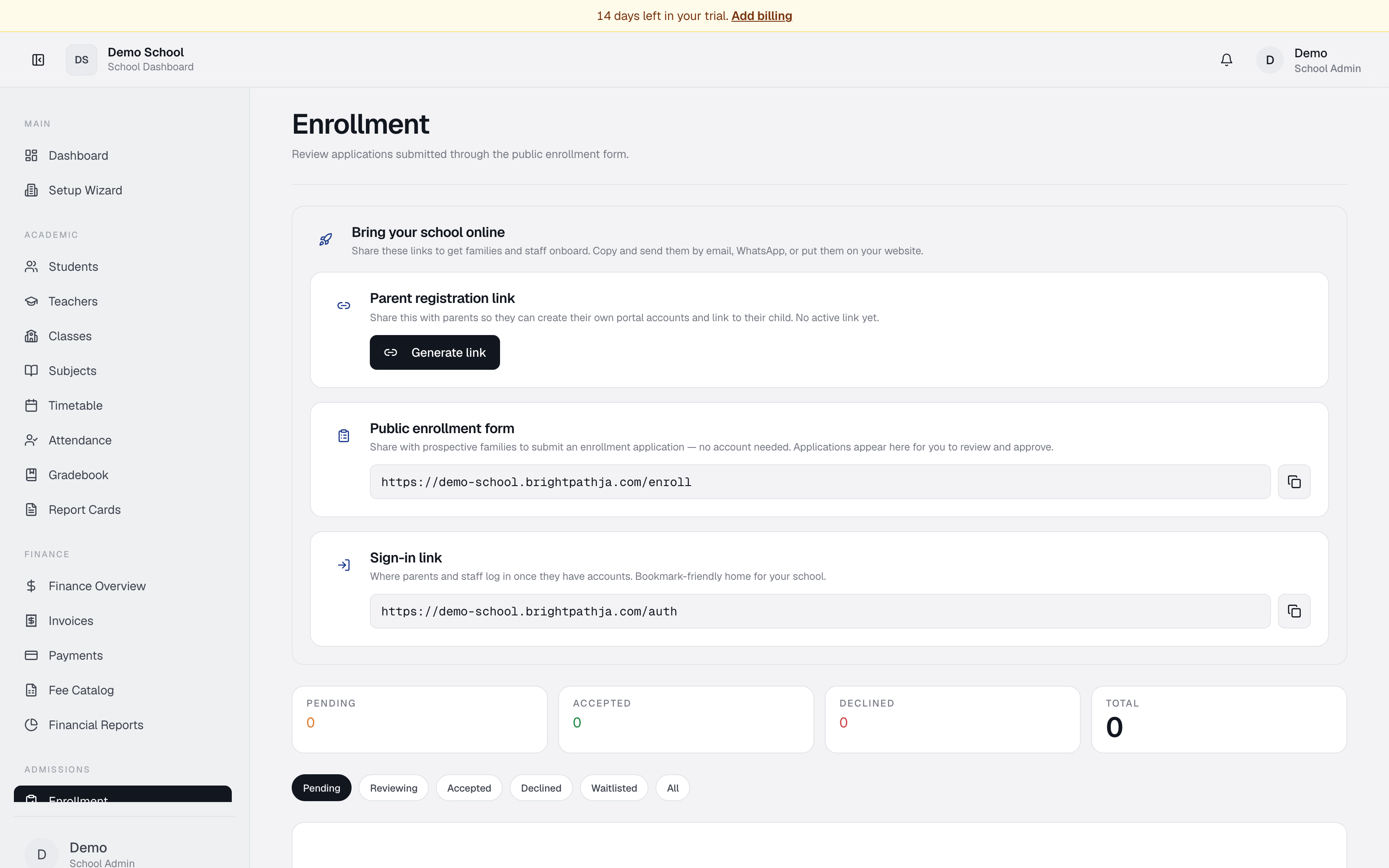
What it does
The Enrollment module lets school administrators review applications from families who apply through the public enrollment portal. You can accept, waitlist, or decline applications, and the system automatically notifies applicants of your decision by email.
Who uses it
- Registrar / School Admin — manage all applications and send admission decisions.
- Principal — read access to monitor application volumes.
Common tasks
Review a pending application
Applications appear with Pending status selected by default. Each card shows student's name and requested program/grade, parent's name/email/phone, any notes the parent included, and submission date.
Click a card for full details.
Accept an application
- Find the application with Pending or Reviewing status.
- Click Accept.
- Status changes to Accepted and the parent is notified by email.
Waitlist an application
- Find the application.
- Click Waitlist.
- Status changes to Waitlisted and the parent is notified.
Decline an application
- Find the application.
- Click Decline.
- Status changes to Declined and the parent is notified by email.
Filter by status
Use the status filter buttons: Pending, Reviewing, Accepted, Declined, Waitlisted, All. Summary cards show counts for Pending, Accepted, Declined, and Total.
Share the enrollment link
The Share links panel displays the public enrollment form URL. Copy and share with prospective families via email, SMS, or your school website.
Troubleshooting
- No applications appear though families have applied — confirm the public enrollment module is enabled in Utilities → App Modules. Also verify recent migrations have been applied if you're on a fresh database.
- Can't update an application status — only admin/registrar roles can decide. Check your role in Settings.
- Parent email looks wrong — double-check the application; you may need to call the family directly.
Limits & known issues
- Once an application is accepted/declined/waitlisted, you cannot reverse the decision from this UI — a database admin must intervene.
- Decision emails depend on the email channel being configured in Notifications.