
What it does
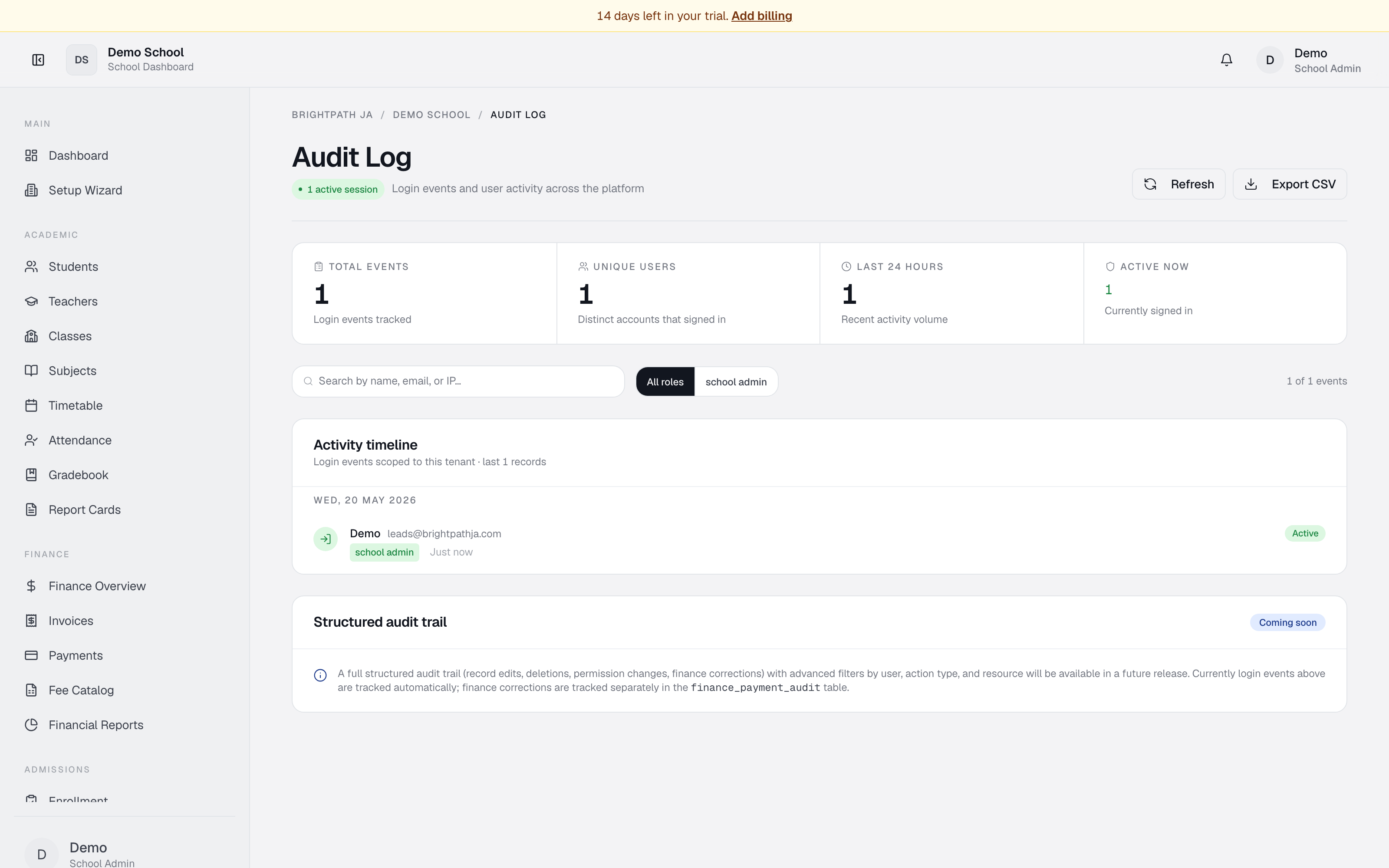
Audit Log is a searchable, time-ordered feed of all login events in your school. Each event shows: the user's name and email, role, login date/time, IP (if captured), and whether the session is still active.
KPIs at the top: Total events, Unique users, Last 24 hours, Active now.
Who uses it
Available to school admins, bursars, super-admins, and auditors. Other roles do not see this module.
Common tasks
Search for a user's logins
Use the Search box — name, email, or IP address. Results filter in real time.
Filter by role
Click role buttons (All roles, teacher, principal, etc.) to filter.
Check if a user is currently signed in
Look for the Active badge. Active sessions show a green badge.
Export login data
Click Export CSV — file downloads with Time, Name, Email, Role, IP, Status columns.
Refresh the feed
Click Refresh to reload the latest events.
Troubleshooting
- No activity — if the school is new, no logins are recorded yet. Events appear as users sign in.
- Search/filter not working — try Refresh.
- Export CSV greyed out — no events match the current filter. Clear filters.
- Old events missing — login activity may be retained for ~90 days.
Limits & known issues
- Structured audit trail (record edits, deletions, permission changes) is "Coming soon" — currently only login/logout events are logged here.
- Finance payment corrections are tracked separately in the finance audit table.
- The feed does not auto-refresh — click Refresh for new events.