
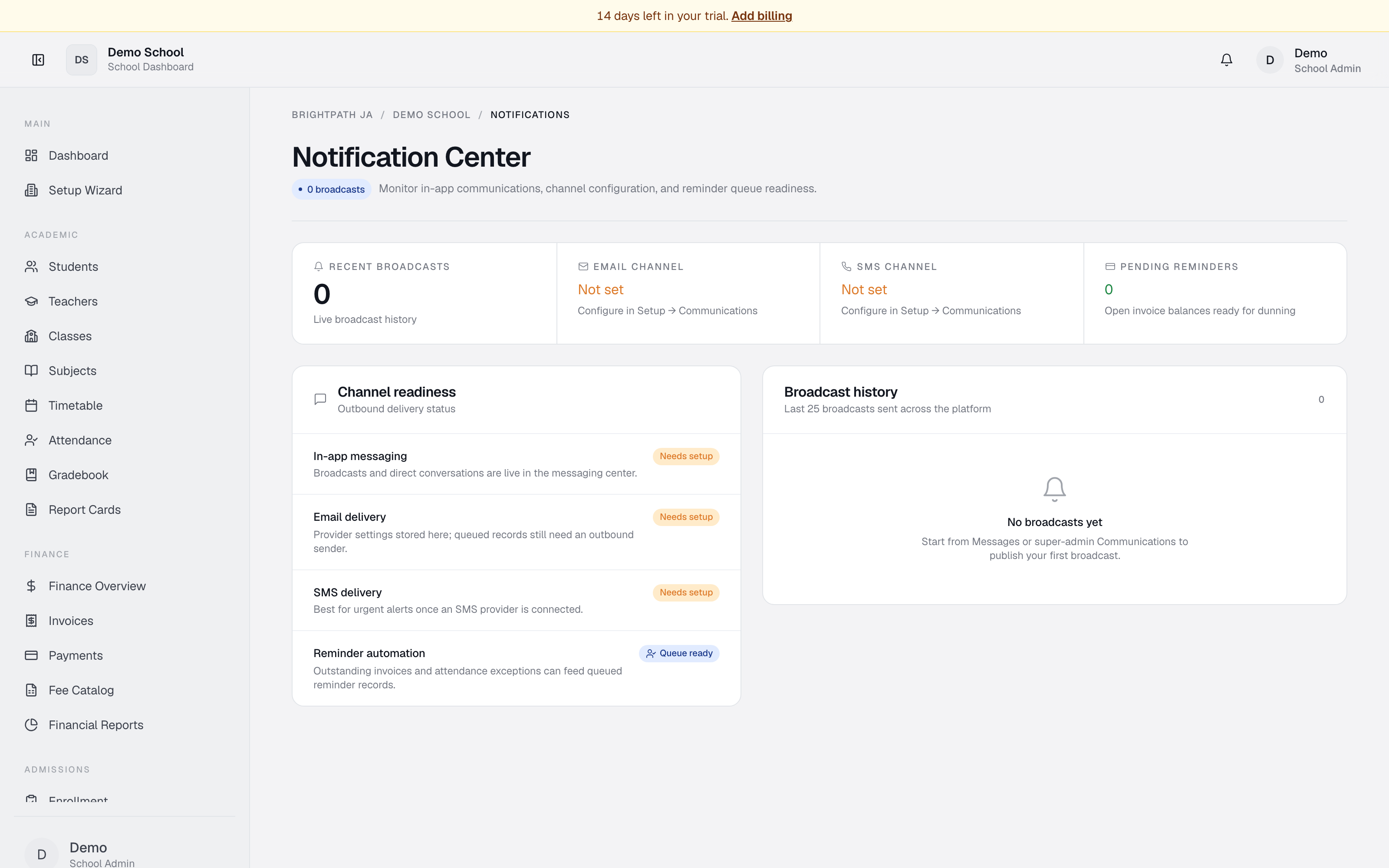
What it does
The Notifications module is a control centre for school-wide announcements and communication. Admins check broadcast history, verify that email delivery is set up, and confirm that reminder automation (payment reminders, attendance alerts) is ready. (SMS delivery is not yet available.)
Who uses it
- School Admin / Principal — monitor broadcasts and communication status.
- Registrar — verify channels are configured before sending.
- Super Admin — oversee communication infrastructure.
Common tasks
Send a broadcast
Admins, principals and registrars see a Send a broadcast box at the top. Add an optional title, pick an audience (All personnel, Teachers, Staff, or Students), write your message, and click Send broadcast. It appears immediately in recipients' notification bells and in the history below.
View recent broadcast history
Scroll to Broadcast history on the right. The last 25 broadcasts appear — title, message preview, audience, channel (currently In-app), date/time. Click for the full message.
Check channel readiness
The Channel readiness panel (left) shows three delivery channels:
- In-app messaging — always on. Broadcasts and direct messages appear in Messages.
- Email delivery — Configured (SMTP/email provider linked) or Needs setup. Configure in Utilities → Communications.
Verify reminder automation is ready
Below channel readiness: Reminder automation — Queue ready means outstanding invoices can trigger payment reminders and attendance exceptions can trigger alerts. A warning instead means contact your super-admin.
Monitor KPIs
Three cards at the top: Recent broadcasts count, Email channel (Configured/Not set), Pending reminders (open invoices awaiting follow-up).
Troubleshooting
- Email channel "Not set" — go to Utilities → Communications, add a provider (SendGrid, Mailgun, etc.), enter credentials, then refresh.
- Broadcast history empty — only Messages → Broadcast sends appear here; direct messages don't.
- "Reminder automation — Needs setup" — make sure invoices exist in Finance, attendance sessions exist in Attendance, and channels are configured.
Limits & known issues
- Broadcast history shows the last 25 only.
- Email delivery depends on a third-party provider — outages can delay messages.
- SMS delivery is not yet available (no SMS provider is wired up).
- Reminders are currently in-app only; automated email reminders need super-admin configuration.
- This module does not show individual delivery status (e.g. whether a parent opened an email).